⚙ Setting Up a Custom Tracking URL in SkySenders
🔐 Step 1: Login to SkySenders
Launch the SkySenders App.
🌐 Step 2: Go to Domain Settings
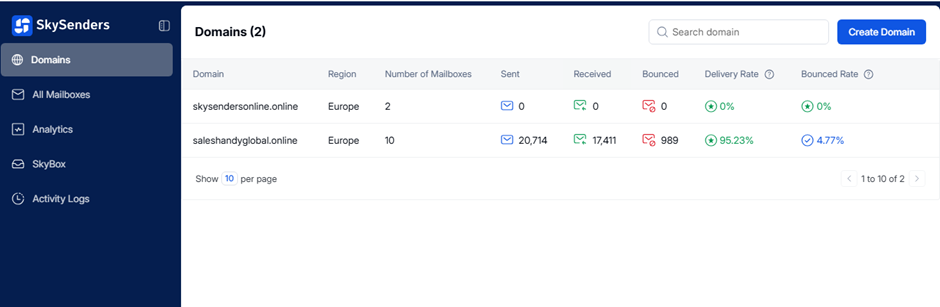
Click on the “Domain” tab from the top-left navigation panel.
A list of your purchased domains will be displayed.
✅ Step 3: Choose a Domain
Select the domain for which you want to set or change the custom tracking URL.
📂 Step 4: Open More Options
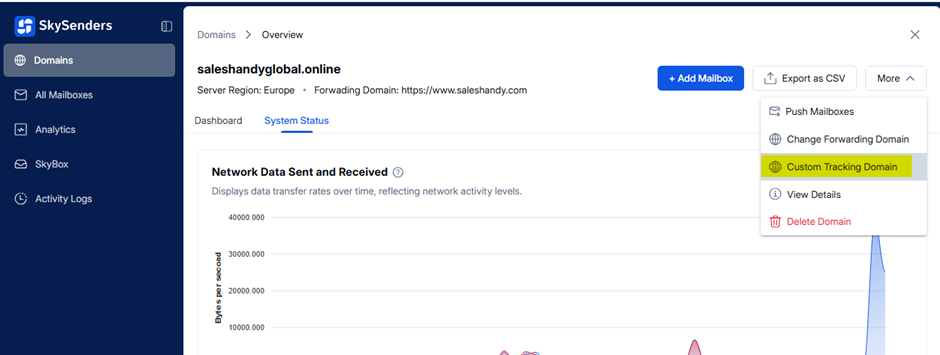
Click on the “More” button (top-right corner).
Select “Custom Tracking Domain” from the dropdown menu.
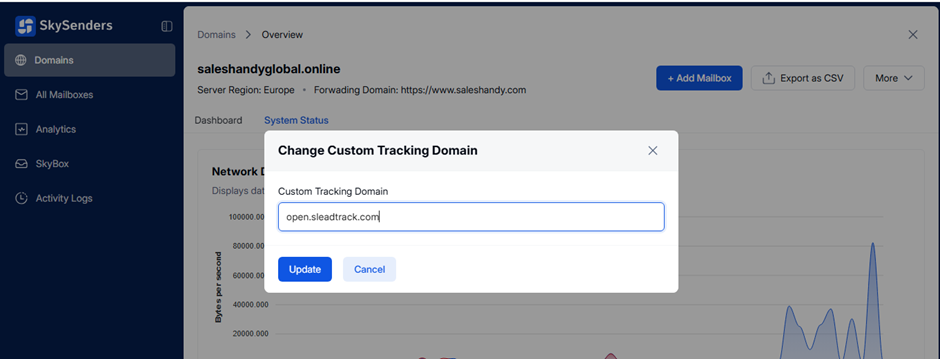
📝 Step 5: Update the Tracking URL
Enter your desired Custom Tracking Domain (e.g.,
track.yourdomain.com)Click “Update” to apply the changes.