💳 Managing Your Billing & Subscription Plan in SkySenders
⚙ Step 1: Open Settings
Launch the SkySenders App.
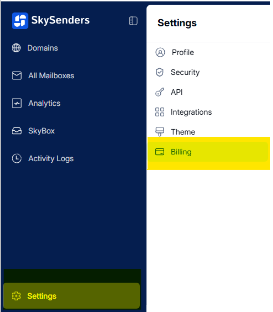
Click on “Settings” located in the bottom-left corner of the dashboard.
🧾 Step 2: Navigate to Billing
In the Settings menu, select “Billing.”
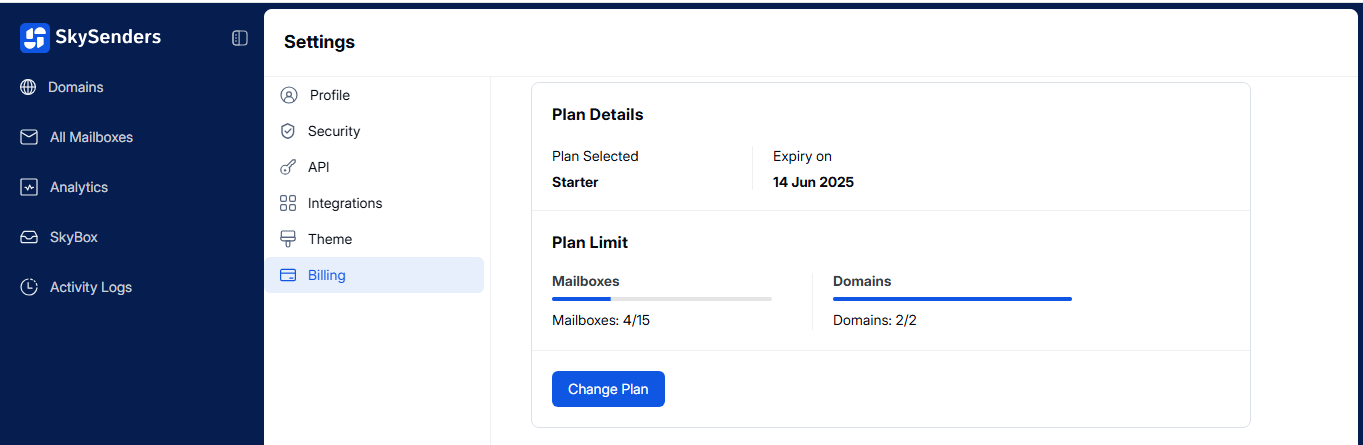
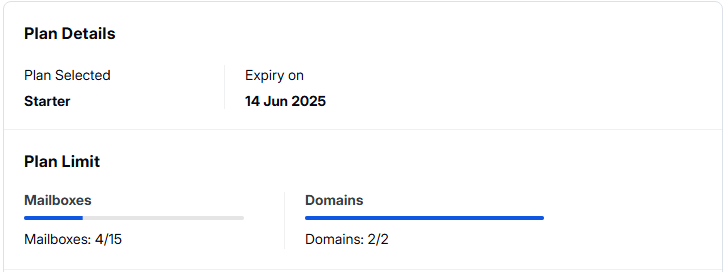
Here, you can view your current plan details, including:
Plan Name
Plan Expiry Date
Plan Limits (e.g., number of domains and mailboxes)
🔁 Step 3: Change Your Plan
Click on “Change Plan” to view available subscription options.
Review and compare the plan details.
To check the plans click here, SkySenders Plans
Choose your preferred plan to upgrade or downgrade.