
⚙ Step 1: Open Settings
Launch the SkySenders App.
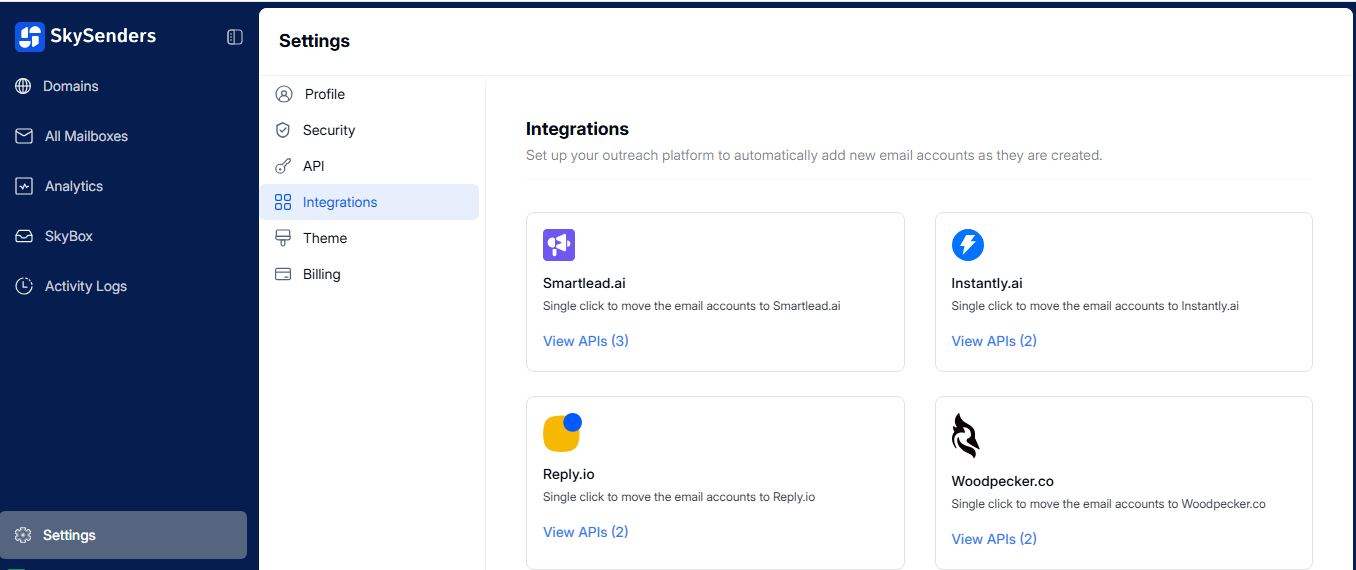
Click on “Settings” located in the bottom-left corner of the dashboard.
🧩 Step 2: Navigate to Integrations
In the Settings menu, click on “Integrations.”
You’ll see below list applications that can be integrated with SkySenders.
🔍 Step 3: Access API Settings
Locate the app you want to integrate.
Click on “View API” to manage API settings for that specific app.
🗑 Step 6: Delete an API Key
To remove an integration, click on the trash icon (🗑) next to the API key.
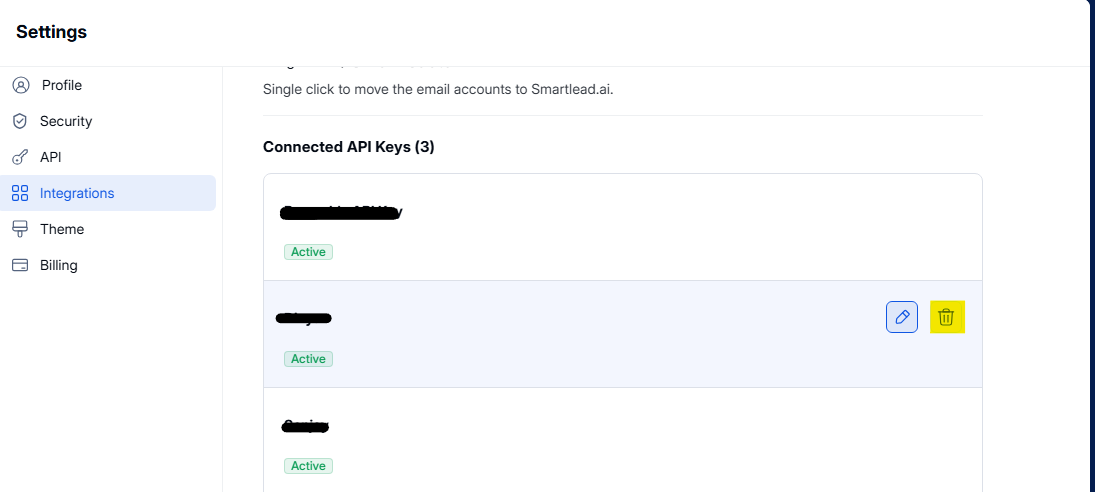
Confirm deletion if prompted.