Go to the SkySenders App.
Click on “Domain” from the top-left menu.
All your purchased domains will be listed.
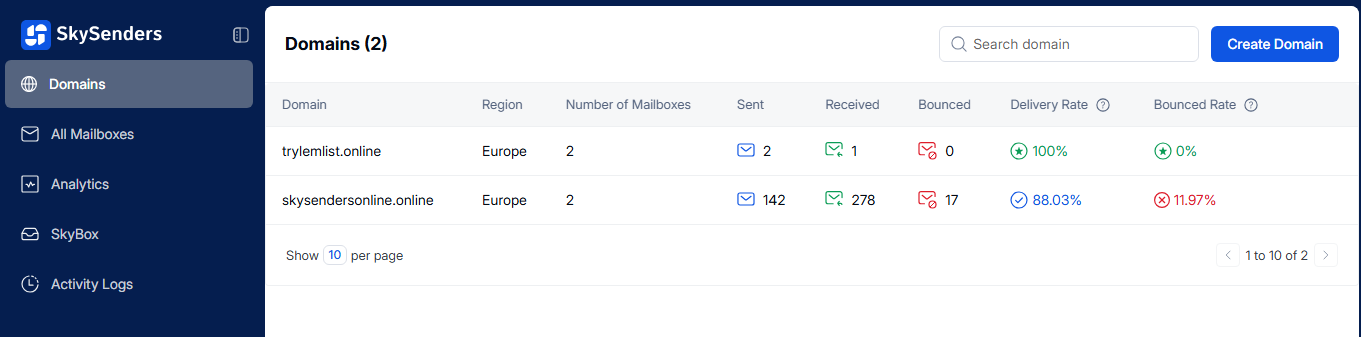
From the list, choose the domain where the mailbox is located.
Scroll down to the bottom of the domain page.
Locate and select the mailbox you want to push to an external email application.
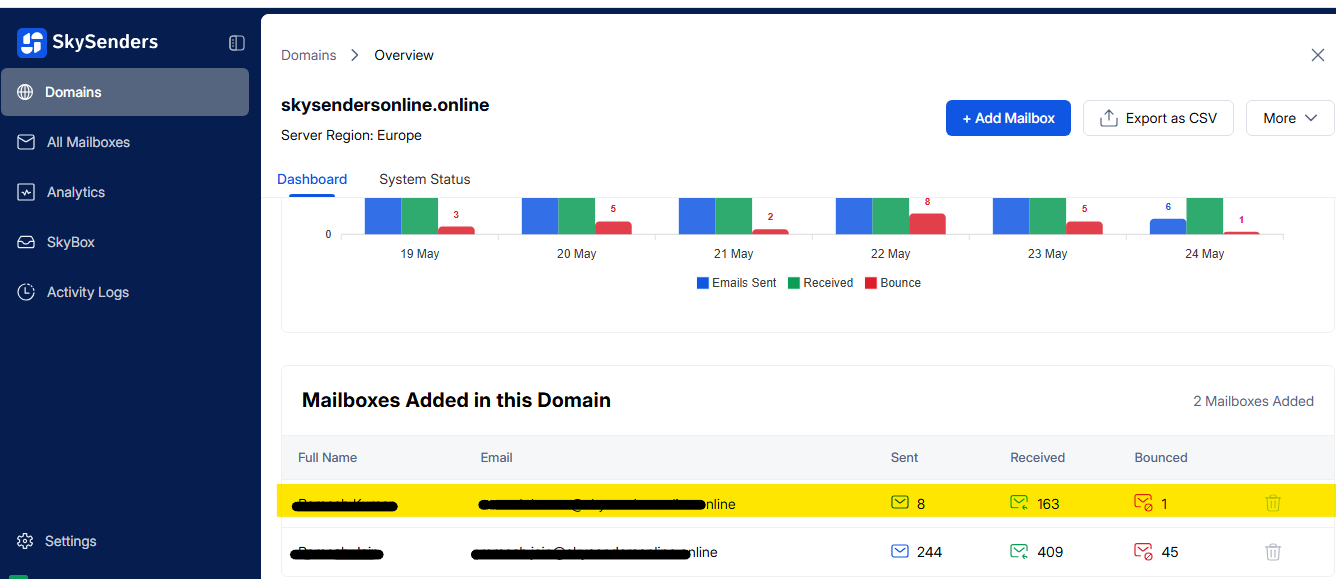
Click the “Push Mailbox” button located at the top-right corner.
Choose the desired email application from the drop-down menu (e.g., Smartlead.ai).
Select the appropriate API Key from the list.
Click “Push Mailboxes” to complete the process.
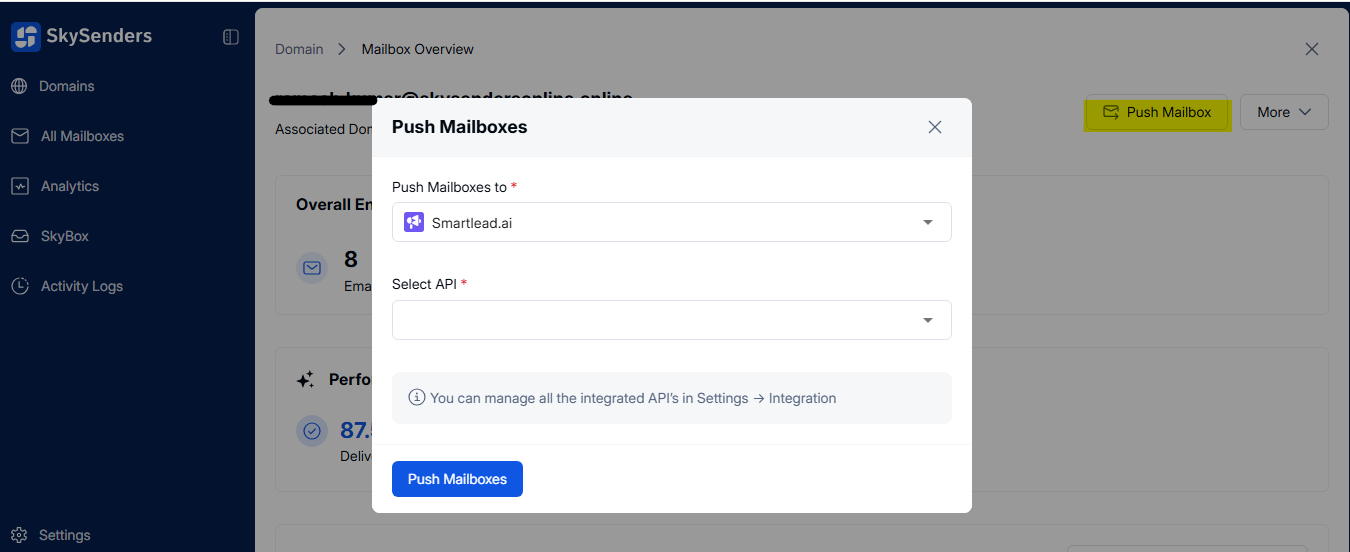
⚠ Note: Always verify mailbox details before pushing to avoid transfer errors.
Go to the “Activity Log” from the left sidebar in the SkySenders.ai dashboard.
Here, you can view the status of the mailbox push:
✅ Pushed — Successful
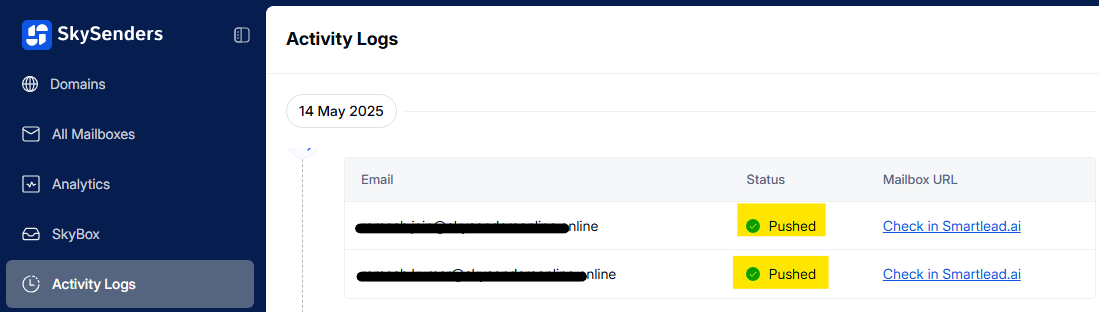
❌ Failed — Unsuccessful
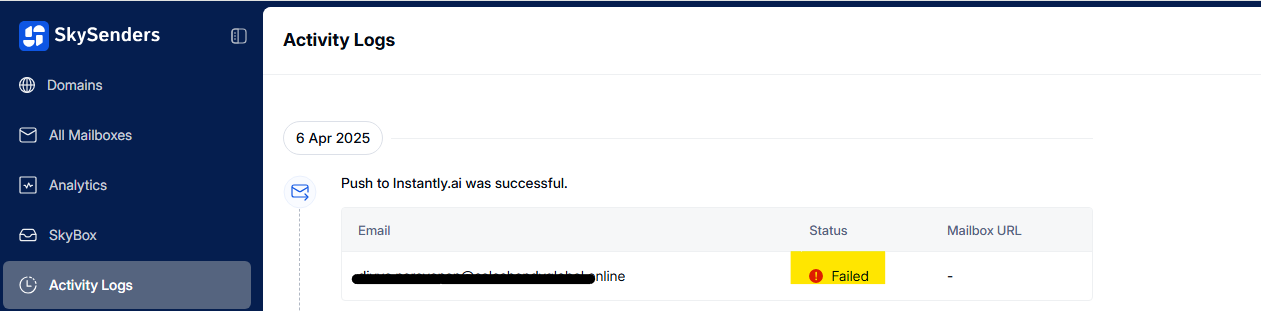
💡 Tip: Once pushed successfully, you’ll find the mailbox URL in the Activity Log, allowing easy access and verification in SmartLead.ai.
