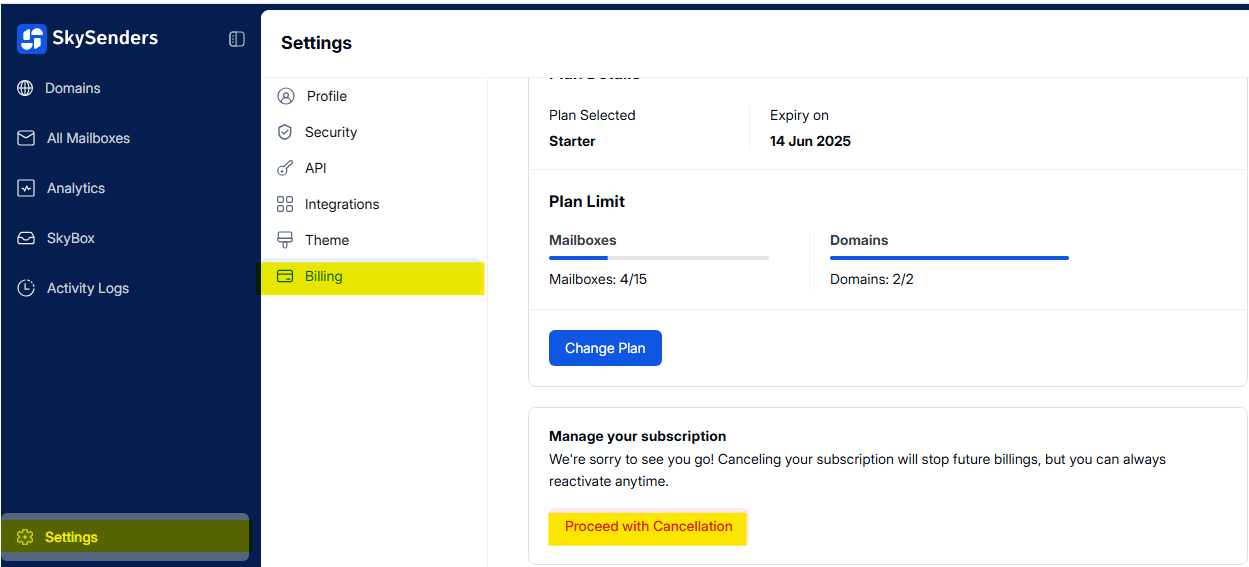
⚙ Step 1: Open Settings
Launch the SkySenders App.
Click on “Settings” located in the bottom-left corner of the dashboard.
🧾 Step 2: Navigate to Billing
In the Settings menu, select “Billing.”
Scroll down to the bottom of the page.
Click on “Proceed with Canceling.”