
How to Create a Folder
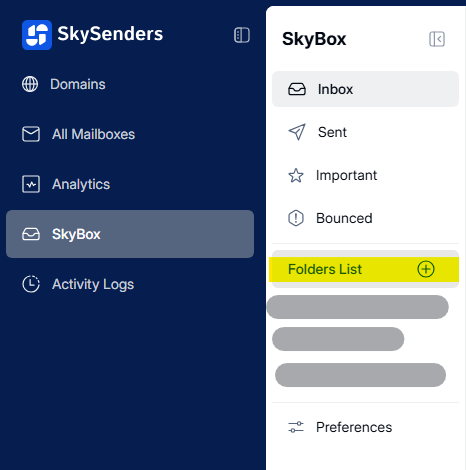
Go to SkyBox.
Click the "+" icon next to the Folders List.
Enter a Folder Name.
Set up your Rules to categorize emails.
Check "Run existing emails through this filter" to apply rules to current emails. (Optional)
Click Save.
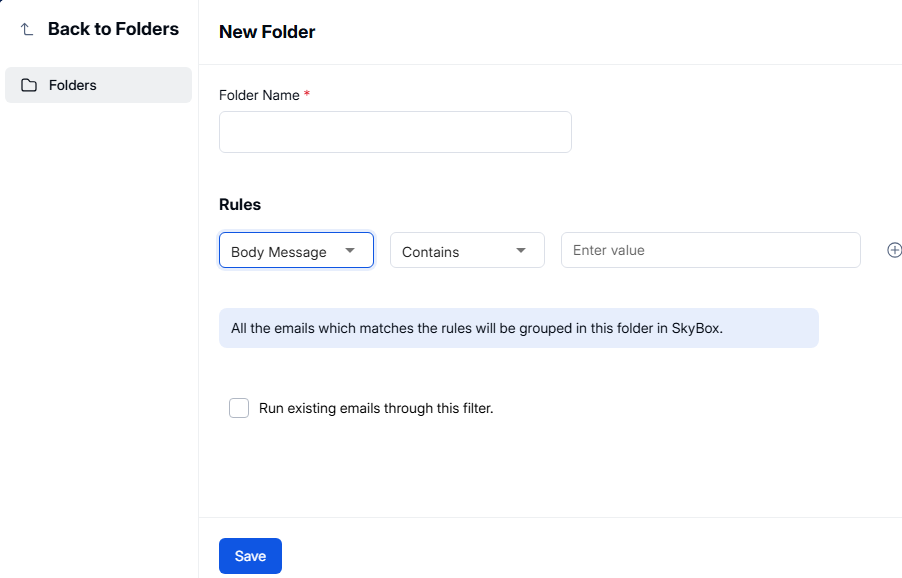
Note: You can add multiple rules by clicking the "+" icon in the Rules section.