
How to view & Edit Folder Rules?
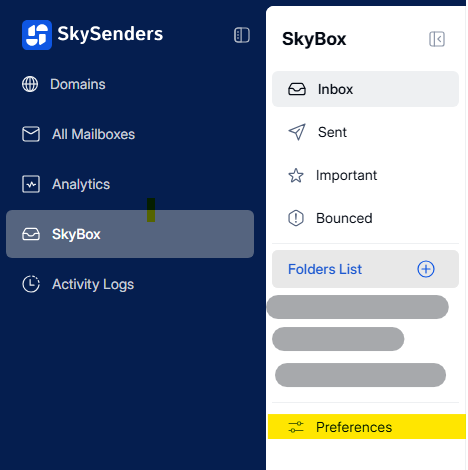
1. Go to SkyBox > Preferences.
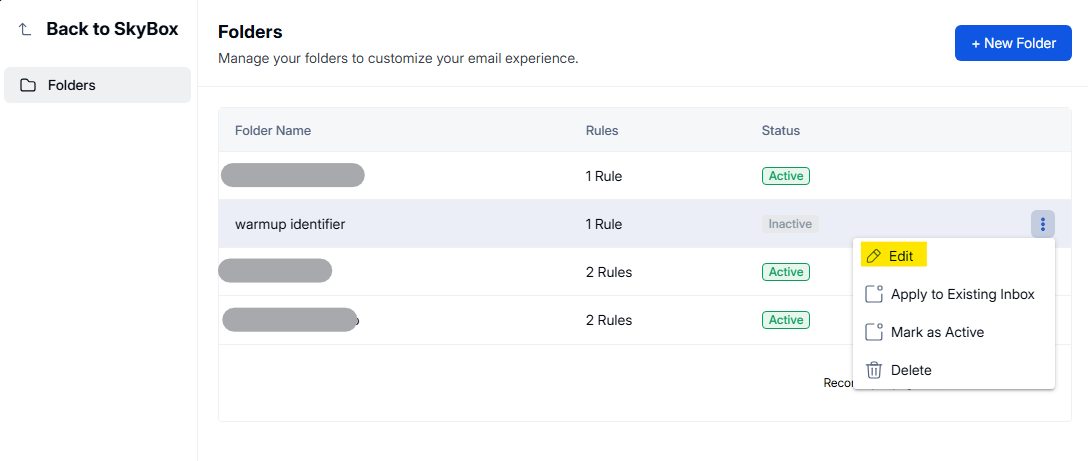
2. Hover over the folder name.
3. Click the three dots icon on the right.
4. Select Edit.
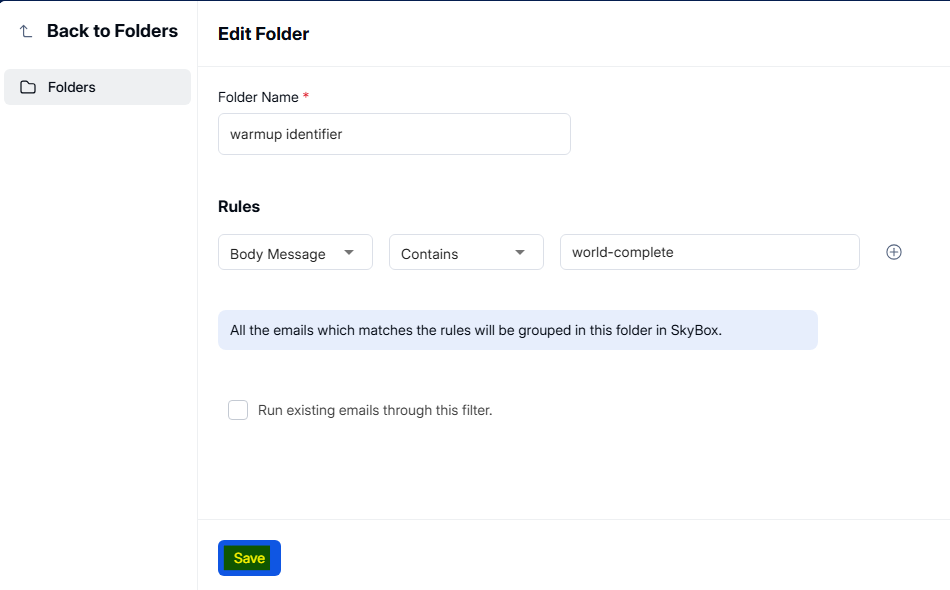
5. Modify the rules.
6. Click Save.
1. Go to SkyBox > Preferences.
2. Hover over the folder name.
3. Click the three dots icon on the right.
4. Select Edit.
5. Modify the rules.
6. Click Save.