Log in to your SkySenders.ai dashboard.
Go to the Domains page.
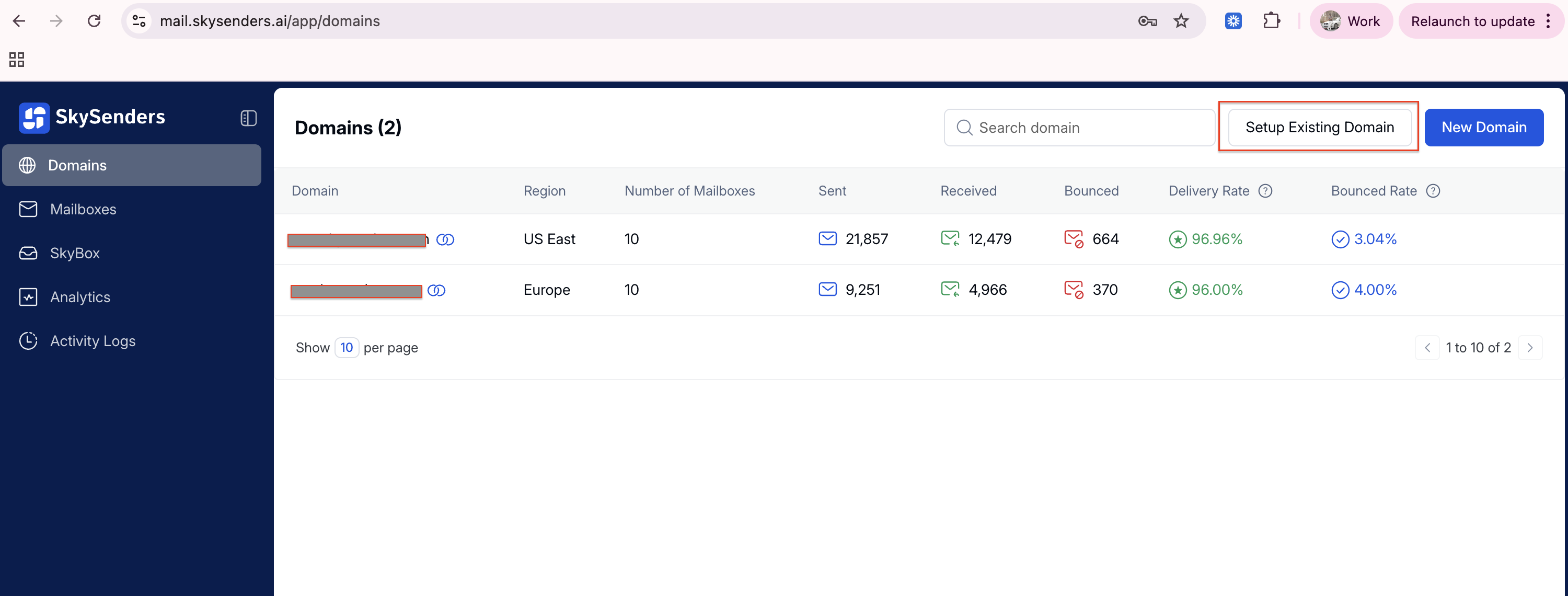
Click “Setup Existing Domain” located in the top-right corner.
Enter your existing domain name and click on Fetch NS Records.
SkySenders will generate Nameserver (NS) records for the domain.
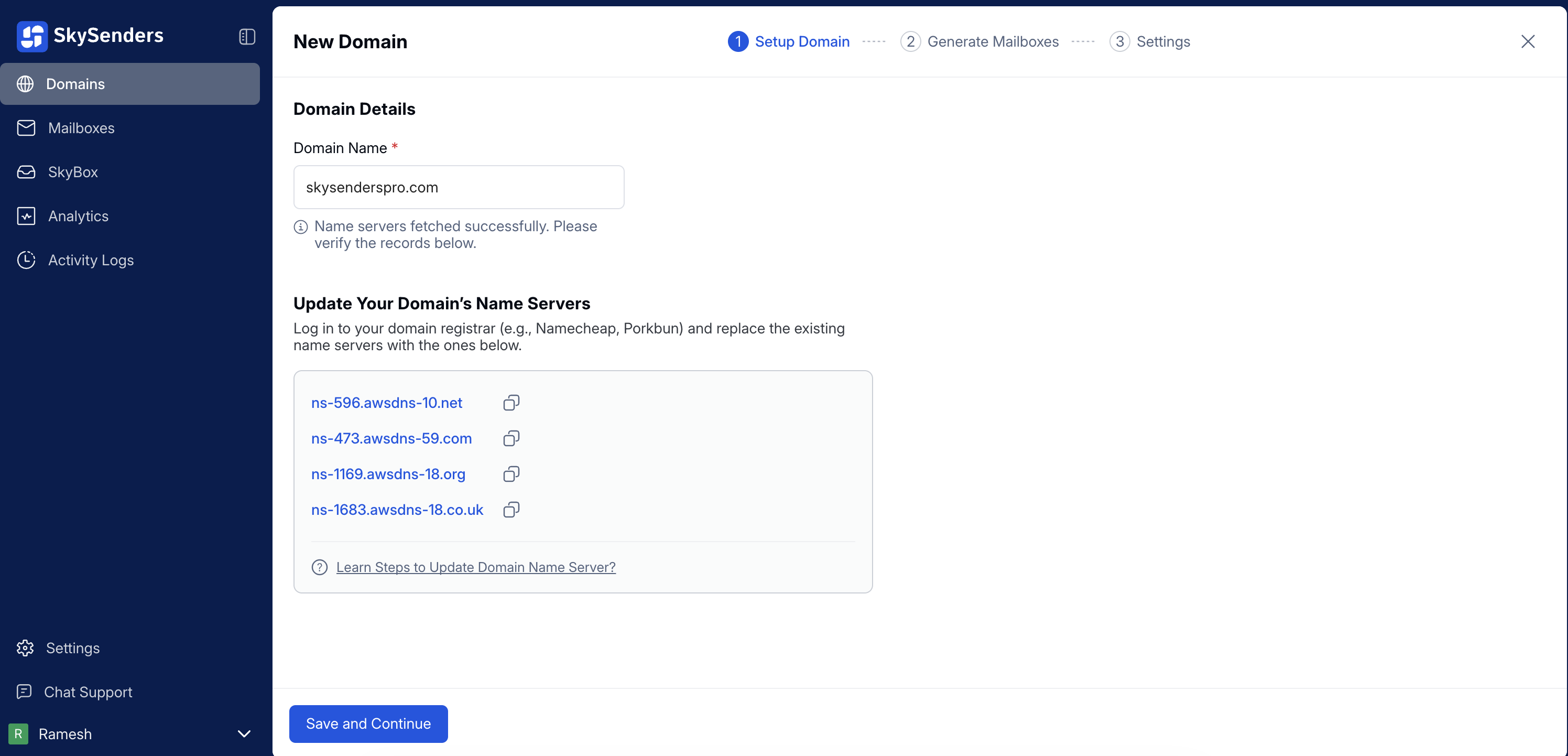
Log in to your domain’s DNS provider (e.g., Namecheap, GoDaddy, Cloudflare).
Replace or add all the generated NS records provided by SkySenders.
SkySenders continuously verifies NS updates using an automated cron job—no manual verification needed.
Once done, click “Save and Continue”.
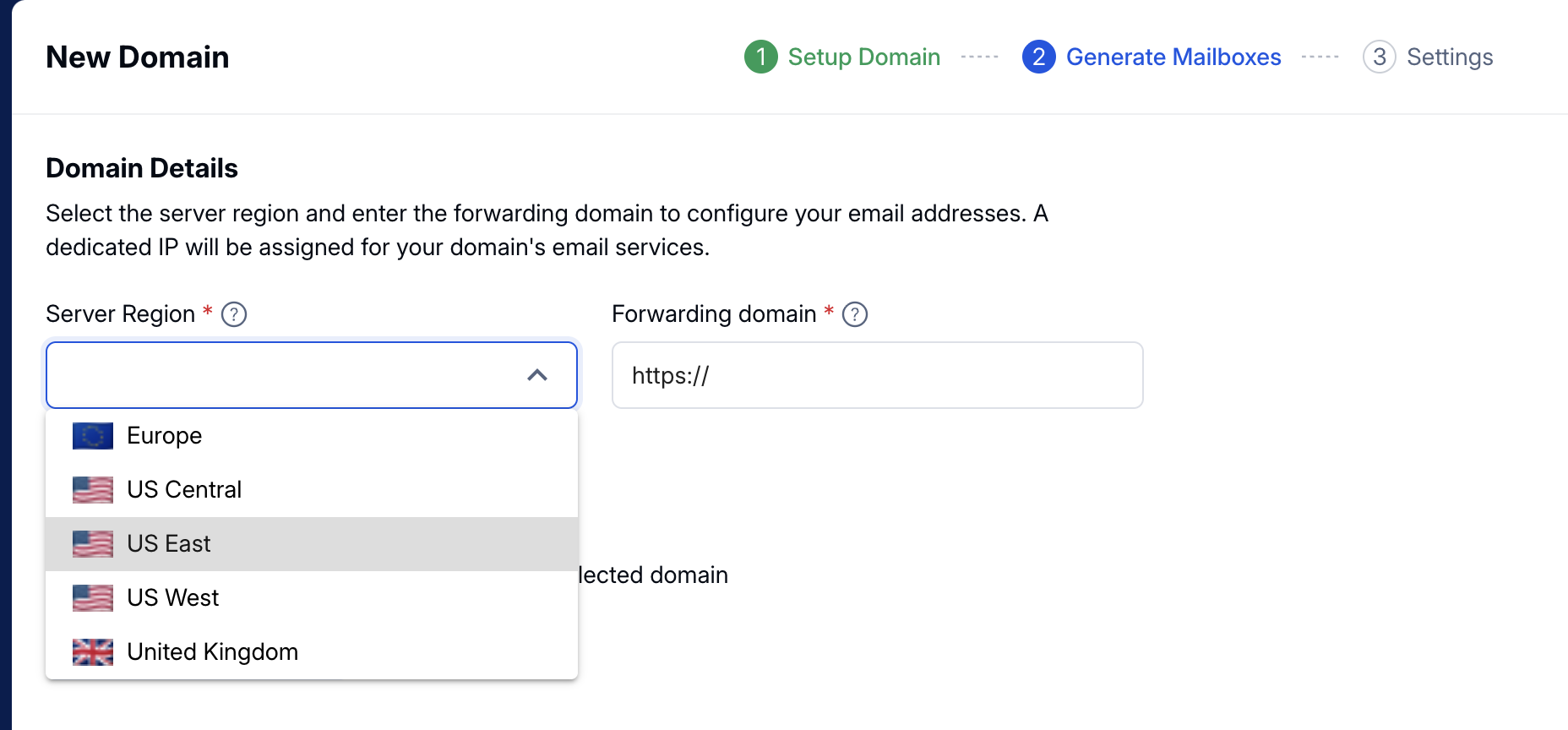
Select a server region based on your geographical or deliverability preference.
Enter the primary website URL where emails or traffic should be forwarded (usually your main business domain).
Click “Save and Continue” to proceed.
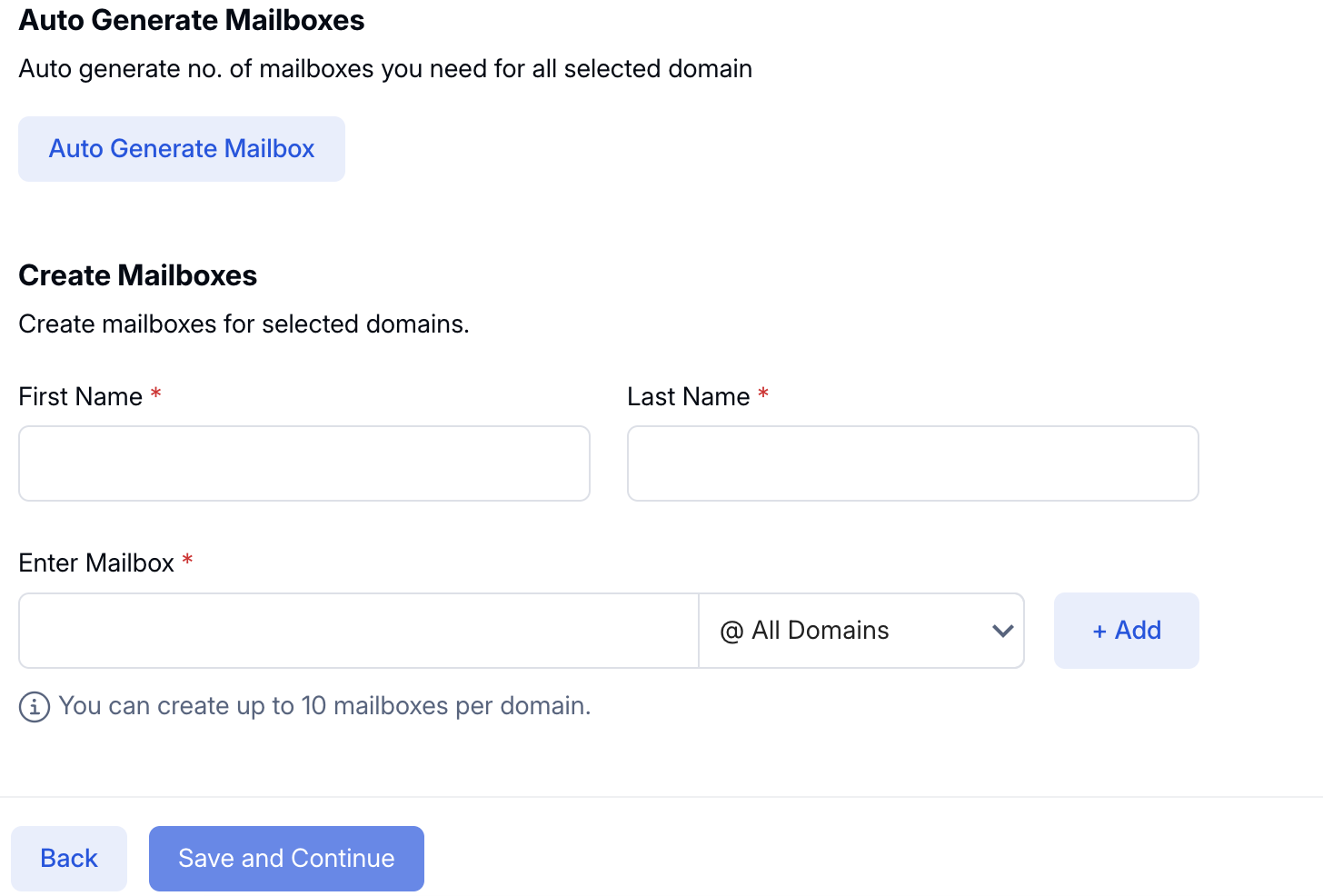
Choose how you’d like to create mailboxes:
Auto-Generate Mailboxes
Best for bulk mailbox creation with minimal effort.
Manually Create Mailboxes
Ideal if you want full control over mailbox names and structure.
After selecting your preferred option, continue to the next step.
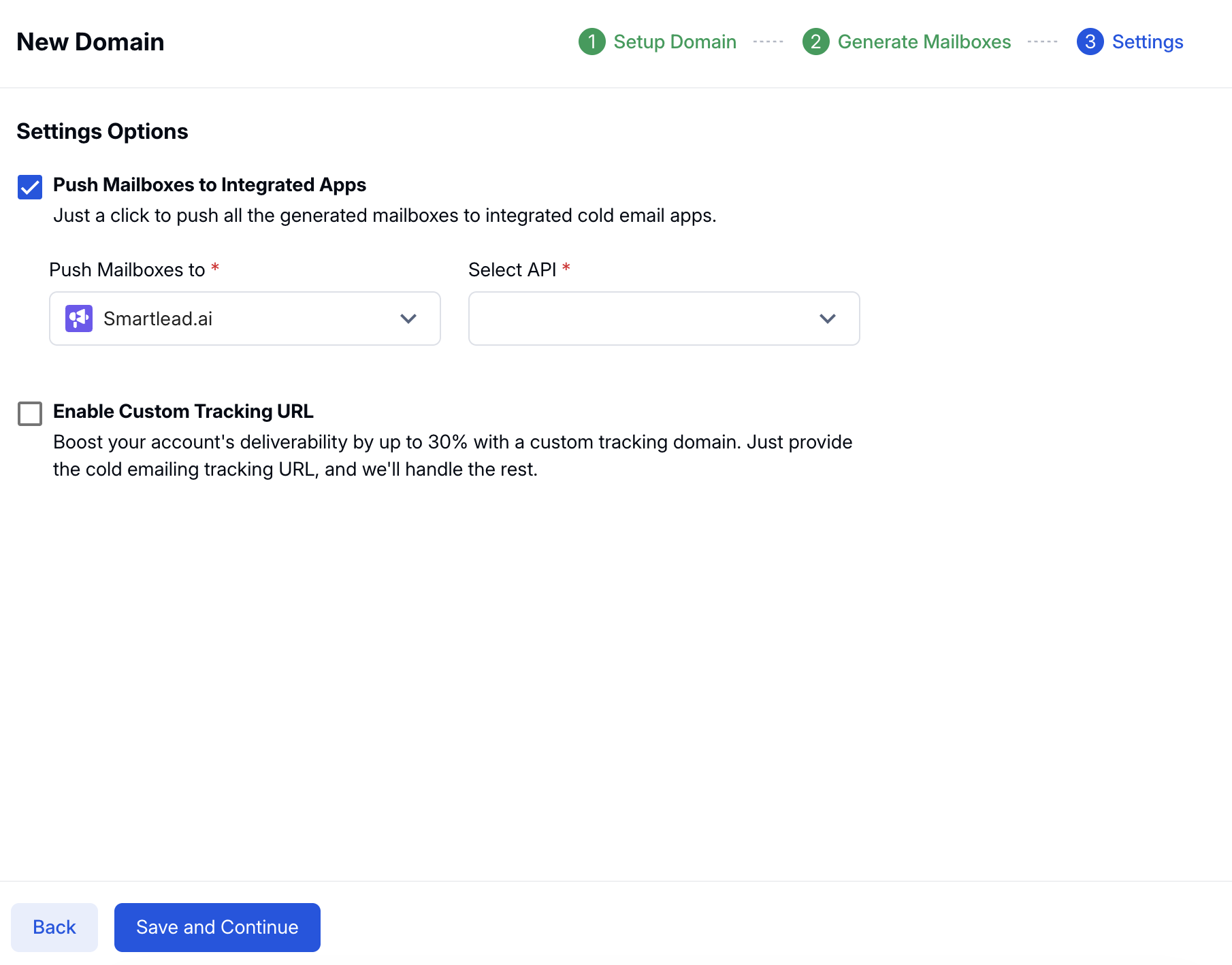
Click “Save and Continue” to configure:
App Integration (connect your cold email tool)
Custom Tracking URL (for open and click tracking)
Once all required information is submitted, SkySenders automatically handles:
Domain configuration
DNS setup
Mailbox creation
Domain forwarding & custom tracking URL setup
Integration with your favorite cold outreach tool
The entire process typically completes within 10 to 30 minutes.
